


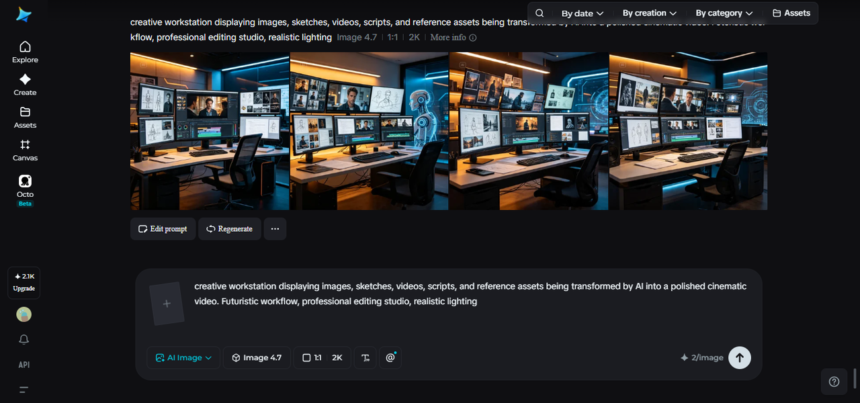
Every creative project starts scattered. A script sits in one document, mood-board images live in another folder, a voice memo with dialogue ideas is buried somewhere in a notes app, and a rough shot list might exist only in someone’s head. Turning that pile of disconnected pieces into one polished, finished video has traditionally meant hours of manual work — importing files, aligning timelines, and hoping everything comes together in the edit.
Dreamina’s video generation model, Seedance 2.5, was built to close that gap, letting creators feed in their raw materials directly and get back something that already looks and feels like a finished piece rather than a rough assembly.
From scattered files to a single creative vision
The real bottleneck in most video projects isn’t a lack of ideas — it’s the distance between having those ideas and having them all working together in one place. A storyboard script means very little on its own if it isn’t paired with the right visual style. A reference image only goes so far without direction on how a character should move within it. Sound design usually gets bolted on at the very end, often as an afterthought rather than something that shaped the video from the start.
This fragmented process is exactly why so many projects stall out before they’re finished. Each asset requires its own tool, its own review pass, and its own round of adjustments, and by the time everything is stitched together, the final result rarely matches the vision it started with.
What lets Seedance 2.5 handle so many inputs at once
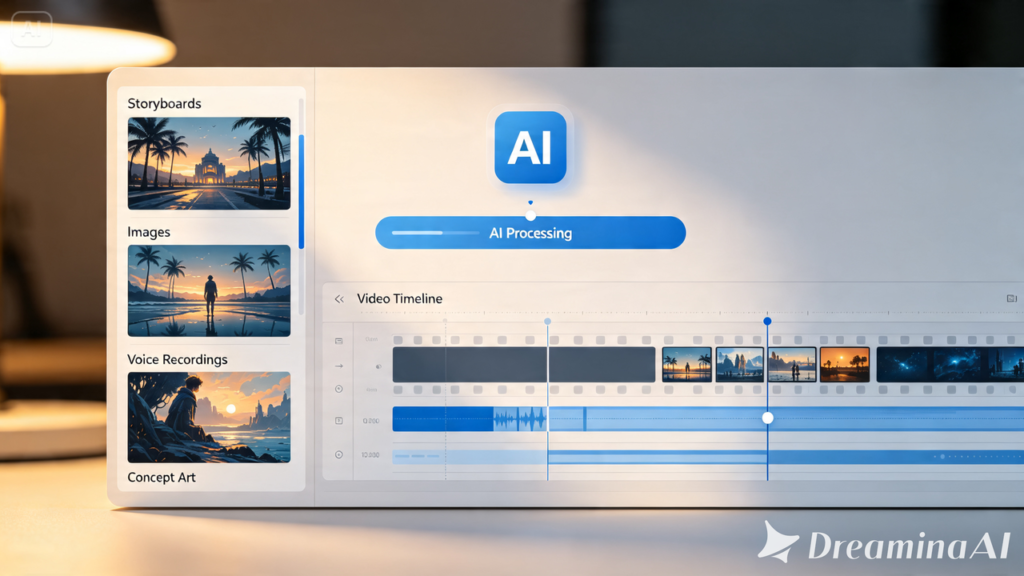
Seedance 2.5 approaches this differently by accepting a wide range of creative material as a single, unified input rather than requiring each piece to be handled separately. Text, images, video, and audio can all be submitted together, giving the model a much fuller picture of what a finished project should look and sound like before generation even starts.
This means a creator can hand over a storyboard script, a handful of reference or style images, notes on character design, a rough soundtrack reference, and a description of specific shots — all in the same pass. Rather than generating a video from a single prompt and hoping it matches everything else, the model works from the complete creative context from the start.
This multi-asset approach holds together thanks to a few key upgrades. Editing has expanded beyond visuals, so audio elements like vocals or background sound can be adjusted after generation rather than requiring a full redo. Local, region-level editing also allows a specific detail to be changed — removing or adjusting one object in a scene — without regenerating the entire video. On top of that, timeline accuracy has tightened significantly, so specific moments land close to where they’re intended rather than drifting.
Together, these changes shift the process from “generate and hope it fits” to something closer to actual creative direction — where the finished video reflects the full set of assets a creator brought to it, not just a single prompt.
Bring your whole toolkit to Dreamina
Turning a folder full of assets into one finished video takes just three steps.
Step 1: Load in your prompt and your reference material
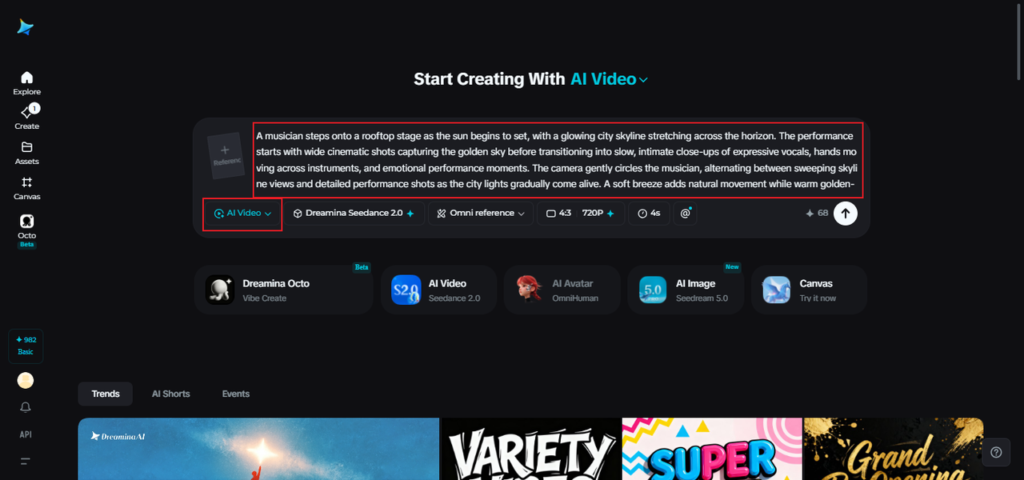
Visit Dreamina, sign in, and head to the “AI Video” section. Click “Add reference image” to upload any photos, style references, or character designs you want the video built around. Then write a prompt describing the scene, action, and mood you’re going for. If you’re working from imagination alone, skip the upload and let your prompt carry the full description.
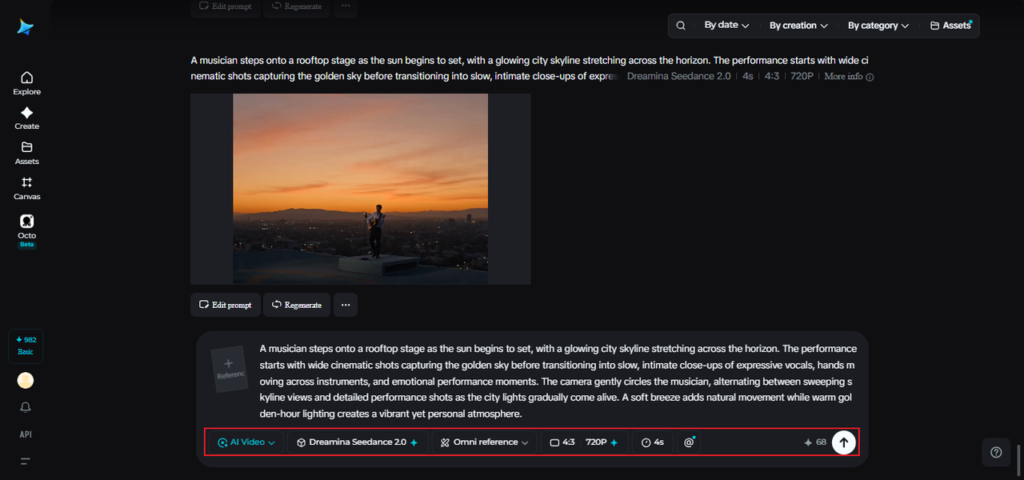
A sample prompt might read: A musician steps onto a rooftop stage as the sun begins to set, with a glowing city skyline stretching across the horizon. The performance starts with wide cinematic shots capturing the golden sky before transitioning into slow, intimate close-ups of expressive vocals, hands moving across instruments, and emotional performance moments. The camera gently circles the musician, alternating between sweeping skyline views and detailed performance shots as the city lights gradually come alive. A soft breeze adds natural movement while warm golden-hour lighting creates a vibrant yet personal atmosphere. The video concludes with the final notes echoing across the rooftop as the camera slowly pulls back, revealing the illuminated skyline beneath the colorful evening sky, delivering an energetic yet heartfelt cinematic performance.
Step 2: Let Seedance 2.5 pull it all together
With your prompt and references set, select the Seedance 2.5 model for generation. Choose your desired video length, then pick an aspect ratio suited to where it’s headed — 16:9 for YouTube, or 9:16 for TikTok. Click Dreamina’s generation icon and give it a few seconds to turn your combined assets into finished footage.
Step 3: Finish strong and send it out
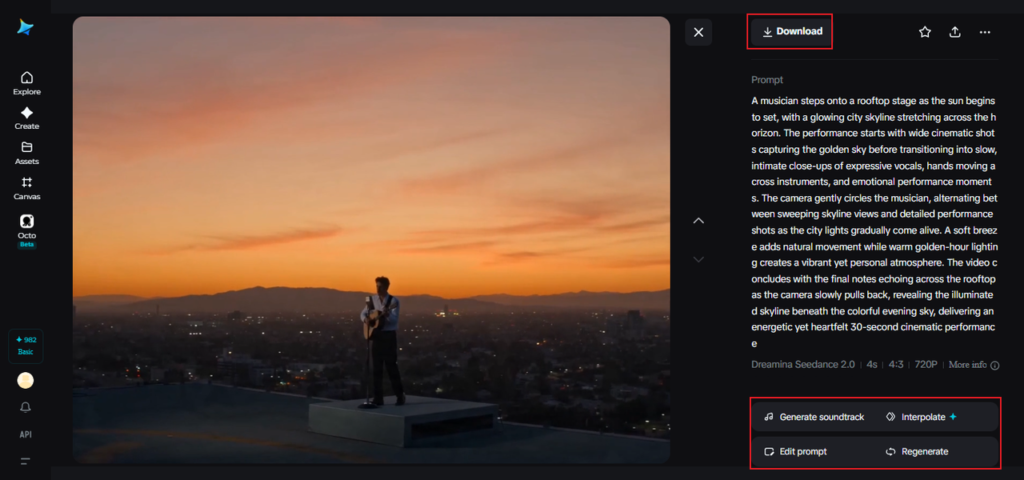
Before saving, use Dreamina’s AI editing tools to give the video its final polish. Upscale sharpens resolution for a cleaner look, while Generate Soundtrack adds audio that matches the tone you’ve built. Once it’s ready, export the video and share it across social platforms, ads, or wherever it’s headed next.
Getting the most out of what you feed in
The quality of a finished video tends to reflect the quality and clarity of what goes into it. A few habits make a noticeable difference:
- Keep reference images focused on one clear style or subject rather than mixing conflicting visual directions
- Write prompts that describe mood and pacing, not just what’s physically in the frame
- Treat sound as part of the initial input rather than something added only at the very end
None of this requires technical expertise — it’s closer to giving clear direction to a collaborator than operating complicated software.
Bringing every piece together, at last
For years, finishing a video meant reconciling a dozen separate elements by hand — hoping the script, visuals, and sound would somehow align by the final cut. That’s no longer the only path. With Dreamina and its Seedance 2.5 model, creators can hand over their full creative toolkit — scripts, images, character notes, sound references — and get back a video that already feels whole.
The distance between a folder of scattered ideas and a finished, polished piece has never been shorter, leaving more room for creators to focus on the story itself rather than the logistics of pulling it together.